How to Spot a Fake Mobile App: 12 Warning Signs (2026)
Fake mobile apps have become one of the biggest cybersecurity threats in 2026. Many of them look almost identical to genuine apps, making it difficult to tell the difference. Some are designed to steal passwords, banking information, personal data, or even install malware on your device.
The good news is that most fake apps leave behind warning signs. By learning what to look for before downloading an app, you can protect your device, your personal information, and your online accounts.
Why Fake Mobile Apps Are Increasing
Smartphones have become an essential part of everyday life. People use them for shopping, banking, social media, entertainment, work, and communication.
Cybercriminals know this.
Instead of attacking computers, many scammers now create fake mobile apps that imitate popular brands. These apps often copy logos, icons, screenshots, and even app descriptions to appear legitimate.
Their goal is simple:
- Steal personal information
- Collect login credentials
- Display fraudulent advertisements
- Install malware
- Gain unauthorized access to devices
This is why checking an app before installing it is more important than ever.
1. The Developer Name Looks Suspicious
One of the easiest ways to identify a fake app is by checking the developer’s name.
Many fake apps use names that look similar to well-known companies but include small spelling mistakes or extra words.
For example, a trusted company usually has a verified developer profile and publishes multiple legitimate apps. If you notice an unfamiliar developer name or inconsistent branding, it’s worth investigating further before installing the app.
What You Should Do
- Check the developer’s official website.
- Verify whether the app is listed there.
- Compare the developer name across trusted sources.
2. Very Few Downloads
Popular apps usually have a large number of downloads. If an app claims to be a well-known service but has only a handful of installs, that’s a red flag.
While every app starts somewhere, a major brand is unlikely to have only a few downloads on official app stores.
Tip
Compare download numbers with similar apps before making a decision.
3. Poor Ratings and Reviews
Reviews can reveal a lot about an app. Be cautious if users mention issues such as:
- Unexpected advertisements
- Login problems
- Device slowdowns
- Data loss
- Crashes after installation
Also watch for fake reviews.
If hundreds of reviews use nearly identical wording or appear within a short period, they may not be genuine.
4. Too Many Permissions
Every app requires certain permissions to function.
However, some fake apps request access to information they don’t actually need.
For example, a simple calculator app should not need access to:
- Contacts
- Camera
- Microphone
- Location
- SMS messages
Before installing any app, review the requested permissions carefully.
If they seem unrelated to the app’s purpose, avoid downloading it.
5. Poor Grammar and Spelling
Legitimate developers usually invest time in creating professional app descriptions.
Fake apps often contain:
- Spelling mistakes
- Grammar errors
- Strange formatting
- Low-quality screenshots
- Inconsistent branding
These small details can help you identify suspicious apps before installation.
6. Outdated or Missing Developer Information
Trustworthy apps usually provide clear information about:
- Developer website
- Contact email
- Privacy policy
- Support information
- Update history
If this information is missing or incomplete, treat it as a warning sign.
Transparency is an important indicator of a legitimate developer.
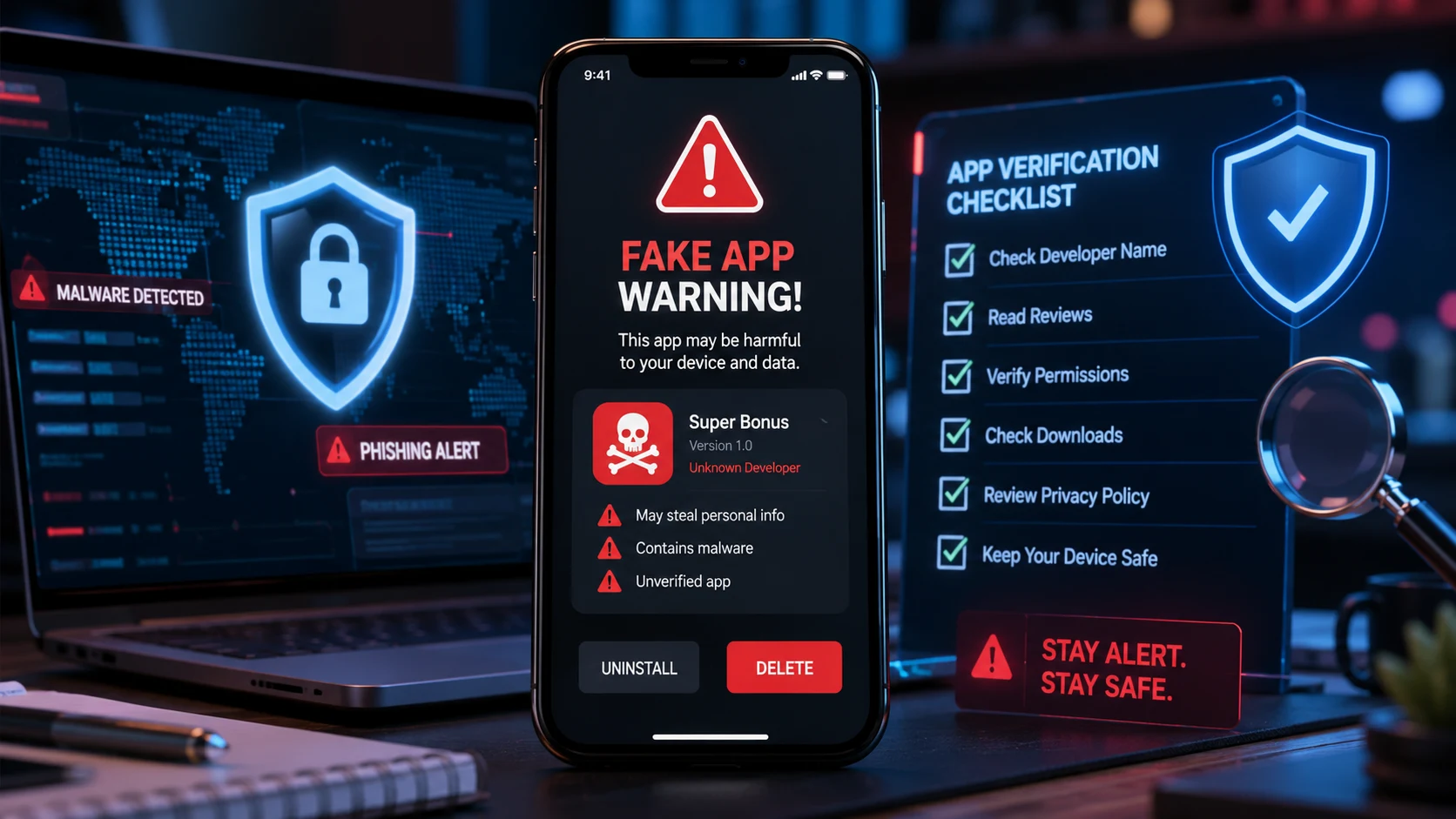
Quick Safety Checklist
Before installing any app, ask yourself these questions:
1) Is the developer verified?
2) Are the reviews genuine?
3) Does the app have many downloads?
4) Are the requested permissions reasonable?
5) Is the description written professionally?
6) Does the app provide a privacy policy?
If you answer “No” to several of these questions, it’s better to avoid installing the app.
Why Checking Before Installing Matters
Installing a fake app can expose you to risks that go beyond losing access to a single account.
Depending on how the app is designed, it may:
- Collect personal information
- Track your activity
- Access saved passwords
- Display unwanted advertisements
- Slow down your device
- Compromise your privacy
Spending just a few minutes checking an app before installing it can help prevent much bigger problems later.
7. The App Promises Something Unrealistic
Scammers often attract users by making promises that sound too good to be true.
Examples include:
- Unlimited free premium services
- Guaranteed rewards
- Instant money
- Free access to paid content
- One-click hacks or shortcuts
Legitimate apps usually explain their features honestly. If an app relies on exaggerated claims to attract downloads, it’s best to stay away.
8. It Hasn’t Been Updated for a Long Time
1) Regular updates are a sign that developers actively maintain an app.
2) When checking an app, look at its last update date.
3) An app that hasn’t received updates for years may have unresolved bugs or security issues.
That doesn’t always mean it’s fake, but if it’s combined with other warning signs, it’s a reason to be cautious.
9. The Privacy Policy Is Missing or Vague
Before downloading any app, check whether it provides a privacy policy.
A trustworthy app should clearly explain:
- What information it collects
- Why it collects it
- How the information is stored
- Whether data is shared with third parties
- How users can contact the developer
If you can’t find this information, think twice before installing the app.
10. It Redirects You to Suspicious Websites
A fake app may frequently redirect users to unknown websites or display pop-ups encouraging downloads from unofficial sources.
Common warning signs include:
- Unexpected browser redirects
- Constant advertisements
- Requests to install additional apps
- Fake security alerts
Legitimate apps rarely force users to visit unrelated websites.
11. Battery or Data Usage Suddenly Increases
After installing a malicious app, you may notice:
- Faster battery drain
- High background data usage
- Phone overheating
- Slower performance
- Frequent crashes
These issues don’t always mean an app is fake, but if they appear immediately after installing a new app, it’s worth investigating. Use your phone’s battery and data usage settings to identify which app is consuming unusual resources.
12. You’re Asked to Download the App from an Unofficial Source
One of the biggest warning signs is being encouraged to install an app from outside an official app store.
Scammers often share links through:
- Text messages
- Emails
- Social media
- Messaging apps
- Pop-up advertisements
Downloading apps from unknown websites increases the risk of installing malware or fake software.
Whenever possible, use trusted app stores and verify the publisher before installing anything.
What to Do If You Installed a Fake Mobile App
If you suspect you’ve installed a fake app, act quickly.
1. Uninstall the App
Remove the app from your device immediately.
2. Change Important Passwords
If you entered login details into the app, update the passwords for those accounts—especially email, banking, and social media.
3. Review App Permissions
Check your device settings and revoke any unnecessary permissions the app was granted.
4. Scan Your Device
Use a reputable mobile security application to check for malware or other security issues.
5. Monitor Your Accounts
Watch for unusual account activity, unexpected transactions, or login alerts.